Showing posts with label linux. Show all posts

Sunday, August 3, 2014

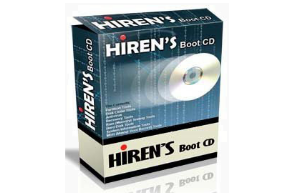
How to Run Hiren's Boot CD on Flash drive

How to create Hiren's Boot CD on a flash drive, so you can boot your computer using Hiren's Boot CD from a flash drive.


• Take a flash drive with size of 1 GB ,  you can also use a bigger size but the bigger  will take longer time when it is formatting, because we will use full format not quick format.
• Format the flash drive same as usual when you format your flash drive (using file explorer, right-click the flash drive, then choose format ). but has a little different :
File system set to FAT32.
Don't give a tick on Quick Format.
Click Start to start formatting.
• Download the file: grub4dos.zip (179 KB), then extract it to the folder.
• Run the file : grubinst_gui.exe.

Select your flash drive, click refresh if not yet appear.
At the Part List, choose Whole Disk (MBR). click refresh if not yet appear.
Click Install.


Read more »

Thursday, July 24, 2014

How to copy files from Harddrive without its OS

When the OS (Operating System) of the computer can't work or has a problem, how to copy the data, documents, and files we need from that computer ?.

The first way, by taking out the hard drive in order to be connected to other computer for copying the files.
The second way is : by using live CD file explorer.

I will talk about the second way, by using the Live CD file explorer.
The live CD has Operating system on itself. then we can do copying the files from internal hard drive of the computer to the USB flash drive or USB external hard drive.

I use Lucid Puppy 5.2.8 live CD from Puppylinux.org
• Download the Lucid Puppy 5.2.8 ISO file from puppylinux.org, or you can search from the internet with keyword: download Lucid Puppy 5.2.8.

• After downloaded, burn the ISO file to the CDR.
Read more »