Showing posts with label Mac. Show all posts

Tuesday, February 18, 2014

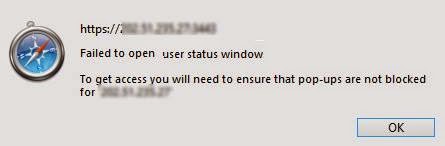
How To Enable Pop up window in Safari

Default setting for pop-up blocker in Safari Browser is enable, it means  pop-up window is disable or blocked.
Some sites or web Applications need the pop-up window enable.


To enable pop-up windows in Safari browser :
Go to Preference menu

Read more »

Friday, January 24, 2014

How To Set VPN Client on Mac

VPN is acronym for Virtual Private Network. It allows the users  to securely access to their Local Area Network or company's intranet from their home or while traveling outside the office.

To set VPN client with PPTP (Point to Point Tunneling Protocol) method on your Mac Computer (MacBook Air, MacBook Pro, iMac, Mac Pro) follow the steps below:

1. Click on Network Icon
2. Choose Open Network Preferences


Read more »

Monday, January 20, 2014

How to Remote Desktop Windows Using Mac

When you are using an Apple computer ( MacBook , MacBook Pro , MacBook Air , iMac )
and then also you have to work with a Windows computer, do not worry, you don't need two computers on your desk, because on Mac computer you can install the  Windows Remote Desktop.

The requirements to be able to perform a Remote Desktop Windows on a Mac :
• Allow Remote Desktop must be enabled on the Windows computer
• Each computer (Windows and Mac) must be connected to the same network , for example connect to the same wifi SSID ( Service Set Identifier / wireless name ), or connected to the LAN
• You have to know the IP address ( Internet Protocol ) of the Windows computer
• On Mac computers should be installed Remote Desktop Application,
Read more »