
Showing posts with label Virtual. Show all posts
Showing posts with label Virtual. Show all posts
Saturday, December 13, 2014
VCenter ESX V5.5 Login Error
If you were use VMware vCenter Server V4 and now you are starting to use V5.5 vCenter server to manage newer VMWare ESX Vsphere, first you will get the error when login, it will say incorrect username or password, because for new vCenter the format for inserting your username is different from V4 vCenter, in the new vCenter for local username you have to use format: user@vsphere.local

Saturday, November 1, 2014
Go to Bios Setting VMWare Workstation
On the Guest Operating system / VM (Virtual machine) in VMWare Workstation , if you want to go to BIOS setting menu or want to set boot priority, etc, by pressing ESC key, F2 key, etc, usually you will not be able to reach it, because the process is too fast.
To be able to enter Bios setting,You can do by setting delay time before the system launch the operating system
You must set the Configuration file (vmx file) of the Virtual Machine.
Open VMX file using Notepad then add the following code:
bios.bootdelay = "5000" and then Save it.
Read more »
To be able to enter Bios setting,You can do by setting delay time before the system launch the operating system
You must set the Configuration file (vmx file) of the Virtual Machine.
Open VMX file using Notepad then add the following code:
bios.bootdelay = "5000" and then Save it.
Read more »
Tuesday, September 9, 2014
Add License Key to VMware ESXi 5
Last week when I would like to activate the VMware ESXi 5 license through vSphere client, I was confused because I didn't know where the menu location for entering the license key.
I found it after take a long time look for.
To enter the license key for VMware ESX 5 using Vsphere client :
Select ESX host
Go to Configuration tab
Inside Software section, choose Licensed Features
At the right of page you will see the Edit..., click it
Read more »
I found it after take a long time look for.
To enter the license key for VMware ESX 5 using Vsphere client :
Select ESX host
Go to Configuration tab
Inside Software section, choose Licensed Features
At the right of page you will see the Edit..., click it
Read more »
Wednesday, April 2, 2014
Enabling ESXi Shell Direct Console ESXi 5
Different with VMware ESX/i 4.1 and older, In the VMware vSphere ESXi 5.0 and newer ( 5.1, 5.5, and ESXi 6) you can't access the ESXi shell or remote using SSH because by default the settings are disable.
To make enable accessing ESXi Shell by direct or remote using SSH :
• Go directly to the host
• Press F2 Key (Customize System/View Logs)
• Login using Administrator/root account
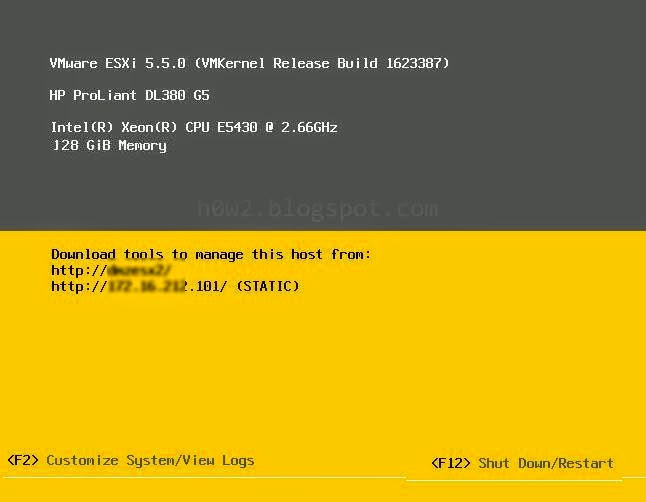
• Choose Troubleshooting Options, (use arrow key at the keyboard to highlight, then press Enter)
Read more »
To make enable accessing ESXi Shell by direct or remote using SSH :
• Go directly to the host
• Press F2 Key (Customize System/View Logs)
• Login using Administrator/root account
• Choose Troubleshooting Options, (use arrow key at the keyboard to highlight, then press Enter)
Read more »
Thursday, July 18, 2013
How To Set/Enter ESX 4 License key via VClient

Where is menu for entering the license key of VMware ESX 4 through VClient?
• Click on the host (IP)
• Go to Configuration tab
• Click Licensed Features (in the Software area)
Read more »
Subscribe to:
Posts (Atom)